Time left and cue cards,right in front of the speaker
- Sign-upNone
- Up to 2 screens$0
- One-off event$5
Run it all from your phone
Works in any browser. Nothing to install.
Keynote
01:05
Cues
Try it
Press the buttons below and watch the speaker's screen change instantly.
Cues
0/60
A sample that runs only on this page. Create a real one with the button above.
Three steps
- Create a timer
Run sheet
1:00Welcome5 min1:05Keynote20 min1:25Q&A10 minPaste agendaOne click opens the controller. Paste your agenda to build the run sheet.
- Connect the screen1 screen connected
Scan the QR code or open the display link. On a laptop wired to the projector, use the link.
- Run the show00:45Please wrap up
Start, pause, ±1 min. Cue cards appear on screen with one tap.
Paste your agenda, get a run sheet
| Time | Item | Length |
|---|---|---|
| 13:00〜13:05 | Welcome | 5 min |
| 13:05〜13:50 | Keynote | 45 min |
| 13:50〜14:00 | Q&A | 10 min |
| 14:00〜14:10 | Break | 10 min |
| 14:10〜14:40 | Panel discussion | 30 min |
| 14:40〜14:45 | Closing remarks | 5 min |
6 items · starts 13:00 · ends 14:45
The real control screen works the same way: paste your agenda and each item gets its time. Running over or under is calculated live during the event.
- Bells at the times you set
- Ring a bell once, twice or three times at the time left you choose, from 4 sounds. Ringing on the speaker's screen is a paid feature.
- Collect audience questions by QR
- The audience scans a QR code and sends questions with no login. Show any question to the speaker as a cue with one tap.
Built not to fail on show day
Pricing
- All core features
- Up to 2 screens at once
- Kampe Timer logo on the screen
- Unlimited screens
- No logo
- Chimes when time is up (4 sounds)
- Save timers to your account and open them anywhere
Prices in US dollars.
FAQ
What is Kampe Timer?
A stage timer (presentation timer) for seminars, conferences, weddings, internal talks and live streams. Staff start, pause and adjust the timer on a phone or computer, and the countdown and cue cards appear instantly on the monitor or tablet in front of the speaker. “Kampe” is the Japanese word for the cue cards a floor manager holds up.
Is it free?
Yes. All core features are free with no sign-up. The free plan allows 2 screens at once and shows a small logo. Pro is $7/month (or $70/year) for unlimited screens, no logo and chimes. An event pass is $5 for 7 days with no auto-renewal.
Do I need to install an app?
No. It runs in Chrome, Safari, Edge or Firefox on iPhone, Android, iPad, Windows and Mac.
How do I show it on the speaker's screen?
Scan the QR code shown in the controller with the monitor or tablet in front of the speaker, or open the display link. The display link is view-only, so it's safe to share.
Can I build the schedule from my agenda?
Yes. Paste an agenda from a doc, spreadsheet or email (“1:00 PM Welcome”, “1:05–1:25 Keynote”, “Q&A 10 min”) and the items and durations are read automatically. The controller also shows how far ahead or behind you are.
Will the screens drift apart?
No. Every screen calculates the remaining time against the same server clock, so they don't drift. If the connection drops briefly, they correct themselves within seconds of reconnecting.
Does it work with Zoom, YouTube or OBS?
Yes. Add the display link as a Browser source in OBS to overlay the countdown on your stream, or open it on a separate device for the presenter.
Does it work offline?
No. Both the controller and the screens need an internet connection. A phone hotspot works.
Use cases
- A presentation timer, right here in your browser.
- A stage timer you control from your phone
- Keep time at seminars and lectures with just a phone
- Keep the wedding on time, quietly
- Every speaker's time, right in front of them
- Same three minutes for every founder
- Run live streams and webinars from behind the scenes
Guides
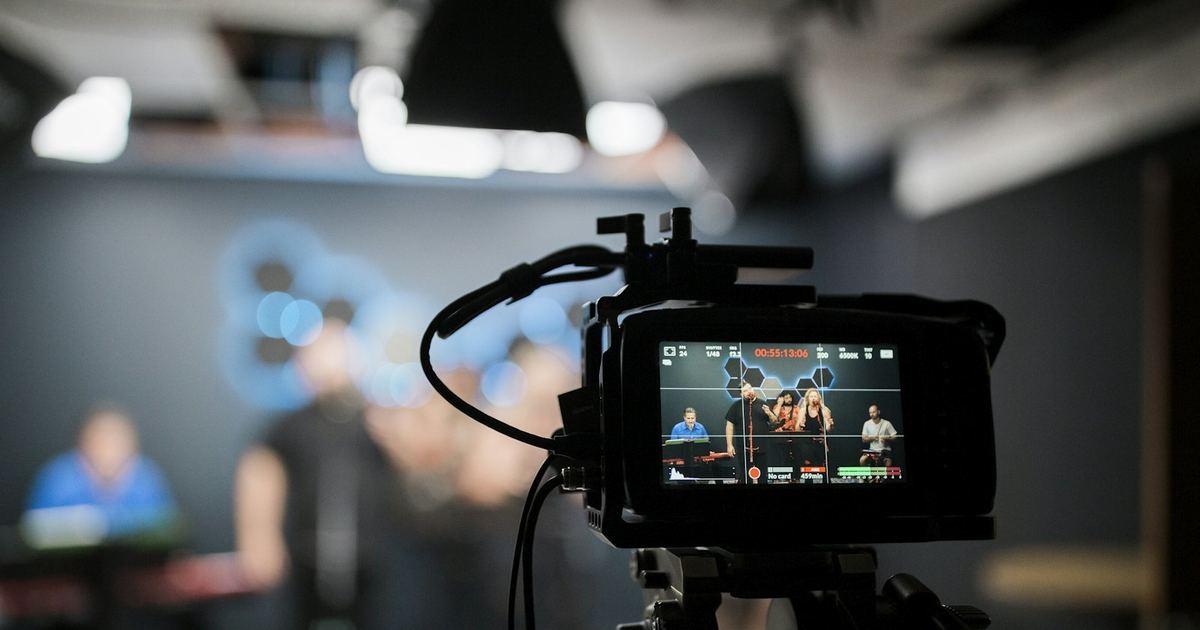 Overlay a countdown on your OBS streamOverlay a countdown timer and cue messages on your OBS stream with a transparent background. Paste one link into a Browser source and run …
 Event agenda templates (free, ready to paste)Free agenda templates for seminars, conference sessions, ceremonies and weddings. Copy one, edit it, and paste it into Kampe Timer to get …
 Cue card examples, and how to write cues that workCue card messages for seminars, talks, wedding MCs and live streams, sorted by situation. Plus tips for asking a speaker to wrap up, short…
 Paste your agenda, get a run sheet timerPaste an agenda from Word, Excel or an email to get a run sheet timer with a duration for each item. Formats that work, and how to fix lin…
 How to be a good timekeeperWhat to prepare and what to do on the day as a timekeeper at a seminar or meeting: signaling time, handling delays, and common mistakes to…
 Conference presentation bells: what 1, 2 and 3 bells meanAt Japanese academic conferences, 1, 2 and 3 bell rings tell presenters how much time is left. What each means, when to ring, and how to a…
 Run a presentation timer from somewhere elseShow the remaining time on a screen in front of the speaker and start, pause or adjust it from a staff phone. No app, just a browser. Cue …
- A web timer you can show bigA free online timer that runs in your browser with nothing to install. Go fullscreen on a PC or projector and show the time left in big nu…
- Wedding cue cards, with examples you can use as they areHow to write cue cards for the wedding MC, toasts and performances, with examples. Short lines like “1 minute left” and “Please wrap up”, …
- No teleprompter? You can still give the speaker cuesFor talks, ceremonies and company presentations without a teleprompter: show the time left and short cues in front of the speaker with jus…
- What is a remote cue card?A remote cue card is a way to show cue messages on the screen in front of a speaker or presenter from a device somewhere else. How it work…
- Cue cards for live streams and broadcastsExamples and tips for giving cue cards to presenters during live streams, webinars and broadcasts. Short signals like “1 min to break” and…